




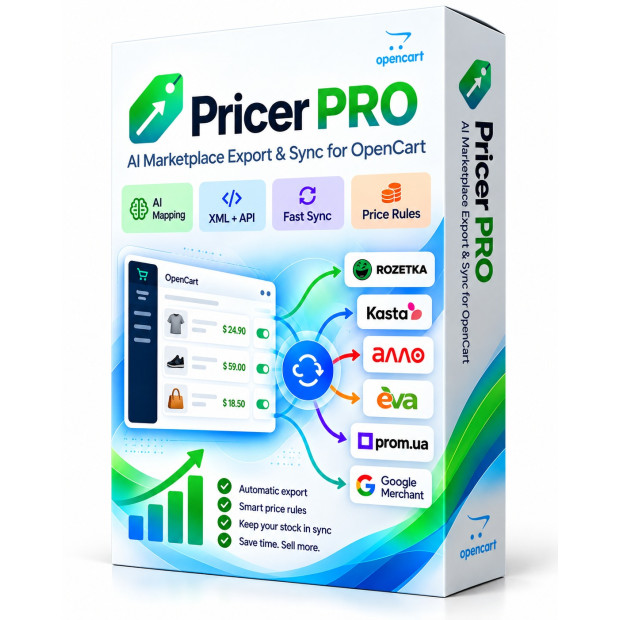
Pricer PRO — OpenCart Product Feeds and Marketplace Export
Pricer PRO prepares your OpenCart catalog for marketplace export with category and attribute mapping, pricing rules and product feeds. Supported channels also offer API workflows for timely price and stock updates.
Automatic category mapping Commission ranges Mapping characteristics and values
1749.00 грн.
Оновлено 02.19.2026 12
AI Marketplace Export for OpenCart
Pricer PRO — OpenCart Product Feeds and Marketplace Export
Smart marketplace export, AI mapping, professional pricing and API synchronization for OpenCart
Pricer PRO prepares your OpenCart catalog for marketplace export with category and attribute mapping, pricing rules and product feeds. Supported channels also offer API workflows for timely price and stock updates.
Categories, attributes, values, commissions, prices, stock, XML, API, Fast Sync, CRON, logs and diagnostics — all in one module.
AI MAPPING XML + API PRICE RULES FAST SYNC LARGE CATALOGS
One module — multiple marketplaces
Rozetka · Kasta · ALLO · EVA · Prom.ua · Google Merchant
PRICER PRO ECOSYSTEM
Not just XML generation — automate the entire workflow
A traditional marketplace export module usually solves only the final task: generating the XML file. In real marketplace operations, however, XML is only the beginning.
You still need to find the correct marketplace category, map dozens or hundreds of attributes, normalize their values, include marketplace commissions, calculate the selling price correctly, keep stock up to date, control API operations and understand what the marketplace actually accepted.
The core idea behind Pricer PRO
Automate the entire workflow:
OpenCart → Category → Attributes → Values → Commission → Markup → Price Range → XML/API → Fast Sync → Result Control
Automate the entire workflow:
OpenCart → Category → Attributes → Values → Commission → Markup → Price Range → XML/API → Fast Sync → Result Control
4 key advantages of Pricer PRO
AI
AI Category Mapping
The module analyzes not only the category name, but also the full path, context, parent categories and the local marketplace directory.
AI
AI Attribute Mapping
OpenCart attributes can be mapped to marketplace attributes using category, attribute group and actual product values.
MAP
Value Normalization
Black, matte black or another local value → the value actually accepted by the marketplace.
PRICE
Price Ranges
Use different markup rules for low-cost, mid-range and expensive products instead of one percentage for the entire catalog.
AI MAPPING
AI-powered category mapping
OpenCart categories and marketplace categories often use different names and completely different tree structures.
Home Appliances → Climate Equipment → Heaters → Infrared Heaters
The equivalent marketplace category may have another name or may belong to a completely different branch. Simple last-word matching is often not enough.
Pricer PRO can take into account:
- the category name;
- the full OpenCart category path;
- parent categories;
- context;
- the local marketplace category directory;
- synonyms;
- semantic similarity;
- AI analysis;
- previously confirmed mappings.
The system first uses local matching methods, while AI is applied where the result is ambiguous. This avoids unnecessary AI calls for obvious matches while improving difficult cases.
Why this matters
With hundreds of categories, manual mapping can take hours or even days. Pricer PRO turns much of this work into reviewing already suggested matches.
With hundreds of categories, manual mapping can take hours or even days. Pricer PRO turns much of this work into reviewing already suggested matches.
AI CHARACTERISTICS
AI attribute mapping
Finding the correct category is only the first step. The next major task is mapping product attributes.
An OpenCart attribute may be named:
Memory Capacity
while the marketplace may use:
Internal Storage
Simple string comparison is not enough.
Pricer PRO can analyze the parameter name, attribute group, category, parameter type, actual product values and previously confirmed mappings.
Result
Less manual mapping, fewer mistakes and much faster configuration of large catalogs.
Less manual mapping, fewer mistakes and much faster configuration of large catalogs.
VALUE MAPPING
Attribute value mapping and normalization
Even a correctly mapped attribute may contain values that the marketplace does not accept.
OpenCart:
Black / Matte Black / black
Marketplace:
Black
Black / Matte Black / black
Marketplace:
Black
Pricer PRO includes dedicated value normalization logic so OpenCart data can be converted into the format expected by a specific channel.
This helps reduce duplicate values, invalid parameters and manual corrections.
KNOWLEDGE BASE
Confirmed mappings do not need to be rediscovered every time
If an administrator has already confirmed the correct mapping, there is no reason to repeatedly determine it again.
Pricer PRO can reuse previously confirmed matches for categories, attributes and other mapping elements. Manual administrator confirmation has priority over later automatic suggestions.
Advantage
The longer you work with your catalog, the more verified mappings can be reused without extra manual work.
The longer you work with your catalog, the more verified mappings can be reused without extra manual work.
SMART PRICING
Price ranges — one of the key advantages of Pricer PRO
One global markup percentage may look convenient, but it rarely works equally well across an entire catalog.
Example
A UAH 300 product +25% = UAH 375
A UAH 40,000 product +25% = UAH 50,000
The very same percentage adds UAH 10,000 to the expensive product.
A UAH 300 product +25% = UAH 375
A UAH 40,000 product +25% = UAH 50,000
The very same percentage adds UAH 10,000 to the expensive product.
| Base Price | Example Markup |
|---|---|
| 0–500 UAH | +35% |
| 500–1,500 UAH | +25% |
| 1,500–5,000 UAH | +18% |
| 5,000–20,000 UAH | +12% |
| Above 20,000 UAH | +8% |
Price rules can work together with marketplace commission, category markup, brand-specific rules, currency and rounding.
ROZETKA PRICE
Especially important for Rozetka
On a competitive marketplace, an expensive product with an excessively high percentage markup can move far away from the market price. Pricer PRO allows you to keep a larger margin for low-cost products and gradually reduce the percentage for expensive products.
MARKETPLACE PRICING
Commission + category + price range + markup
A real marketplace selling price depends on more than one parameter.
Marketplace commission + category markup + price range + custom rule + rounding + currency
This provides much more precise pricing than applying one universal percentage to the entire catalog.
XML + API
XML for catalog content. API for operational changes.
XML
XML / YML
Product title, description, images, categories, attributes and full product-card structure.
API
API / Fast Sync
Price, stock, operational updates and changes without full catalog regeneration.
If the stock of one product changes, there is no reason to rebuild the entire large XML feed. For supported channels, Pricer PRO can send those changes through API.
ROZETKA
XML + Seller API + Fast Sync
Supported Rozetka scenarios:
XML
XML + Seller API
Seller API
In hybrid mode, XML can handle product content while API is used for operational price and stock synchronization.
Pricer PRO also supports a local product mirror that helps maintain OpenCart ↔ Rozetka product relationships and API synchronization state.
ROZETKA MIRROR
Local Rozetka product mirror
For API operations, it is important to know not only the store product_id, but also how the specific product exists in the marketplace.
Pricer PRO supports a local catalog mirror and mappings between OpenCart products and Rozetka products. This simplifies synchronization, diagnostics and state control.
KASTA
XML + HUB API + Fast Sync
- XML;
- XML CREATE + API CONTROL;
- HUB API;
- Fast Sync for price;
- Fast Sync for stock.
In hybrid mode, the product card can be created through XML and, after receiving the real Kasta identifier, operational price and stock control can move to API.
The change queue allows Pricer PRO to process only modified SKUs instead of repeatedly scanning the full catalog.
PROM.UA
Local directory + AI + tariffs + commissions
Pricer PRO can work with local category directories and recommended attribute directories.
Local search → full path → context → semantic matching → AI
Tariffs, marketplace commissions, AI attribute mapping and price ranges are also supported.
ALLO
Categories, MID, attributes and commissions
A dedicated XML/YML channel with marketplace-specific category, MID, attribute, commission and directory logic.
EVA
Categories, BTK_id and commissions
A dedicated channel with its own directory, full category paths, BTK_id and commission rules.
GOOGLE
RSS 2.0 + Google Product Taxonomy + AI
Supported data includes ID, Title, Description, Price, Availability, Brand, GTIN, MPN, Product Type and Images.
In basic mode, the OpenCart category path can be sent as g:product_type. AI-assisted selection of g:google_product_category can also be used, with the selected ID validated against the locally stored official Google Product Taxonomy.
AI should not invent a non-existent Google Category ID.
CONTENT RULES
Custom product title and description templates
A product title that works well on your website may not be ideal for a marketplace.
Pricer PRO lets you build separate templates using product name, manufacturer, model, SKU, category, attributes, options and other product data.
You can also use text cleaning rules, word and phrase replacements and additional XML parameters.
EXPORT FILTERS
Flexible product selection for export
Not every store product needs to be sent to every marketplace.
Pricer PRO allows export control by category, manufacturer, availability, price, product_id and other conditions.
For compatible configurations, quantity or base price can come not only from standard OpenCart fields but also from custom product-table fields.
MIGRATION
Move from a previous solution without rebuilding everything from scratch
When moving to a new export module, the biggest problem is usually not installation but rebuilding hundreds of existing settings.
Pricer PRO can import compatible configuration data. Depending on the channel, this can include:
Categories Manufacturers Markups Price Ranges Templates Filters XML Filename
SAFE MIGRATION
Safe migration principle
Imported configuration is analyzed first. The goal is not to blindly overwrite everything, but to transfer compatible settings while preserving critical current configuration.
Standard /price/ directory
Pricer PRO supports the familiar XML feed directory:
/price/
For example:
https://site.com/price/rozetka.xml
In many migration scenarios, this allows you to replace the generator without changing the feed URL already configured in the marketplace account.
Fewer changes → lower migration risk → faster transition.
LARGE CATALOGS
Designed for large catalogs
PERFORMANCE
- batch processing;
- Adaptive Low Load;
- checkpoints;
- Persistent Build;
- worker processes;
- time control;
- memory control;
- continuation of unfinished generation.
If one run cannot complete the entire catalog, the next process can continue from the saved point instead of starting again from the first product.
CONTROL
API logs, CRON and diagnostics
API LOG
SKU, operation type, status, request/response and exact error details.
CRON
Last run, current stage, processed products and result.
WORKER
Control background processes and continue large operations.
RELIABILITY
Backup + Security Hardened
BACKUP
Backup
Configuration backup, export, import and restore.
SECURITY
Security Hardened
Permissions, CRON/worker tokens, SQL validation, XLSX/ZIP checks and imported-data controls.
WHY PRICER PRO
What Pricer PRO gives your store
AI
Less Manual Work
AI helps with categories, attributes and values.
PRICE
More Precise Pricing
Commissions and price ranges help manage real marketplace margins.
SYNC
Faster Updates
Fast Sync sends changes without rebuilding the entire catalog.
CONTROL
Better Control
Logs, CRON and diagnostics help you see the real synchronization result.
SUPPORTED CHANNELS
One module — marketplace-specific logic for every channel
| Channel | Main capabilities |
|---|---|
| Rozetka | XML, Seller API, Fast Sync, local mirror, AI mapping, commissions, price ranges |
| Kasta | XML, XML + API, HUB API, Fast Sync for price and stock |
| Prom.ua | XML/YML, local directories, AI mapping, tariffs, commissions, price ranges |
| ALLO | XML/YML, MID, attributes, categories, commissions |
| EVA | XML/YML, BTK_id, categories, commissions |
| Google Merchant | RSS 2.0, GTIN, MPN, Product Type, Google Product Taxonomy, AI |
COMPATIBILITY
Compatibility
OpenCart 3.x
ocStore 3.x
PHP 7.4–8.2
OCMOD
ocStore 3.x
PHP 7.4–8.2
OCMOD
PRICER PRO
From your OpenCart catalog to a marketplace-ready offer
Find the right category.
Map the attributes.
Normalize the values.
Include marketplace commission.
Apply the correct markup.
Send XML or API data.
Update price and stock.
Control the result.
Pricer PRO — AI + XML + API for professional marketplace operations.
Choosing and installing Pricer PRO
Check your OpenCart or ocStore version, PHP and the requirements of the selected module build. Back up files and the database before installation and test the module in a staging store. OpenCart extension installation guide.
Related OpenCart extensions
Check build compatibility
Choose a build for your store and PHP version. For OpenCart 2.3 or PHP 8.3–8.4, confirm availability of a compatible build before buying.
Фото, відео та матеріали продукту. Натисніть на зображення, щоб переглянути детальніше.
Додаткові матеріали можна додати у «OCX — Картка товару → Галерея».
CMSOpenCart / ocStore 3.x
PHP7.4–8.2
ExportXML / YML / API
AICategory and attribute mapping
CMSOpenCart / ocStore 3.x
PHP7.4–8.2
Which export channels are described for Pricer PRO?
The module describes Rozetka, Kasta, Prom.ua, ALLO, EVA and Google Merchant. Formats, API operations and product requirements differ; compare the channel capabilities table in this description.
How do XML/YML feeds differ from API and Fast Sync?
Feeds carry product listing content such as titles, descriptions, images, categories and attributes. Supported API/Fast Sync workflows send price and stock changes without rebuilding the full catalog.
Should AI category and attribute mappings be reviewed?
Yes. AI suggests matches and the administrator reviews them. Confirmed mappings can be reused, and manual confirmation takes priority over later automated suggestions.
How does Pricer PRO help manage marketplace prices?
Pricing rules can account for commissions, categories, price ranges, custom markups, currency and rounding. Check the resulting offer against your tariff and the specific channel.