







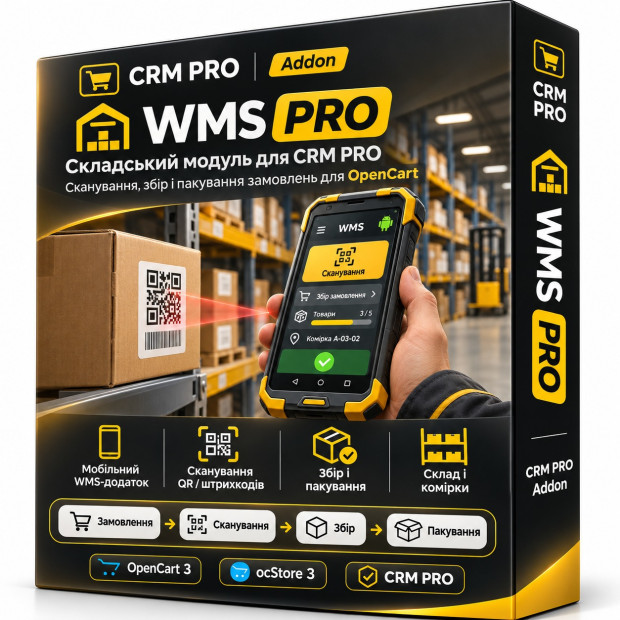
CRM WMS PRO · Warehouse Terminal
WMS PRO — a professional warehouse module for CRM PRO and OpenCart. Android WMS Mobile — a mobile terminal for scanning QR codes and barcodes. Warehouse automation — quick order picking, packing, inventory management, and product accounting. Complete control — warehouse bins, stock levels, movements, and order statuses in one system.
Quick order picking Android WMS Mobile Packing control QR bins and location-based storage
1499.00 грн.
zip Оновлено 14.11.2026 12 months
CRM WMS PRO — Warehouse Management, QR Scanner & Android WMS for OpenCart / ocStore 3
From order to packed parcel — one seamless workflow in CRM PRO. A web terminal for managers, a mobile app for warehouse staff, picking verification, QR-coded storage locations and stocktaking.
CRM PRO Addon · Warehouse Terminal · Android Mobile API · QR / EAN / SKU / UPC
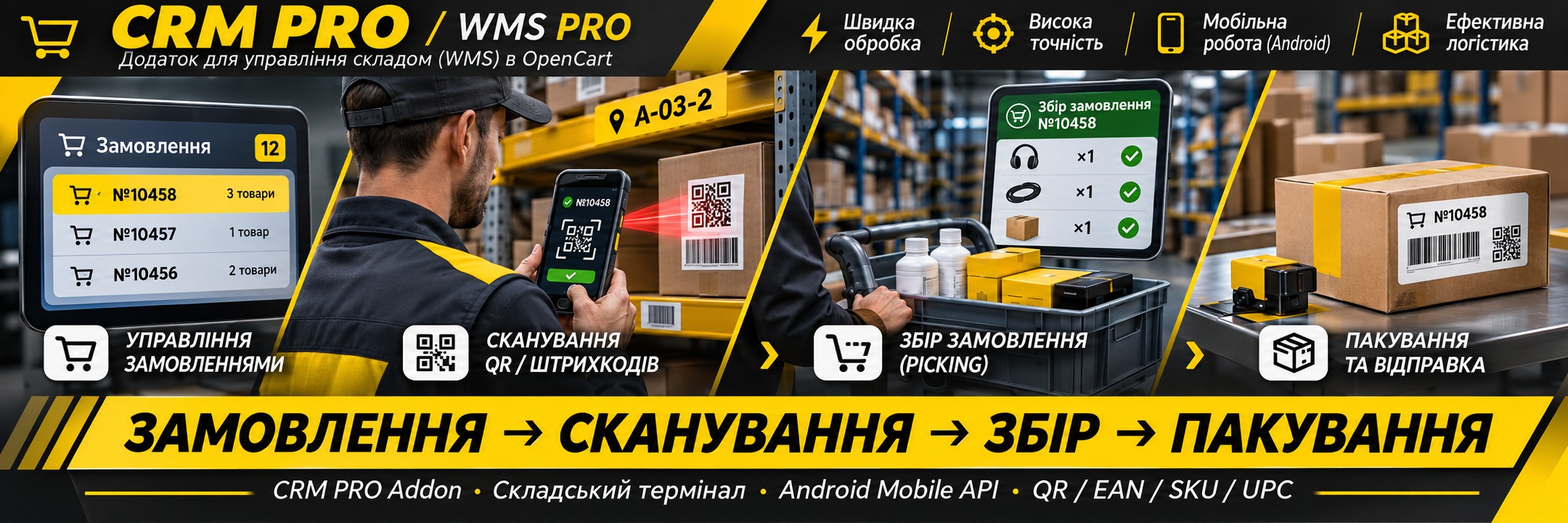
A Warehouse That Works Together with Your CRM PRO
ShopX CRM WMS PRO is a dedicated addon for ShopX CRM PRO. It replaces spreadsheets and manual warehouse checks with a clear, structured workflow. Managers control orders and warehouse processes in OpenCart, while employees complete tasks on their Android phones.
No more manually searching through long product lists, memorizing shelf locations or repeatedly asking whether an order has been picked. The system guides each stage: Pending → Picking → Picked → Packed.
- One workflow: CRM order → warehouse task → scanning → packing.
- Fewer human errors: scan the correct product and verify the quantity.
- Clear progress tracking: see which orders are waiting, in progress or already packed.
- No duplicate stock deductions: order picking is tracked separately from physical inventory accounting.
Two Connected Workspaces: Web Terminal + Android App
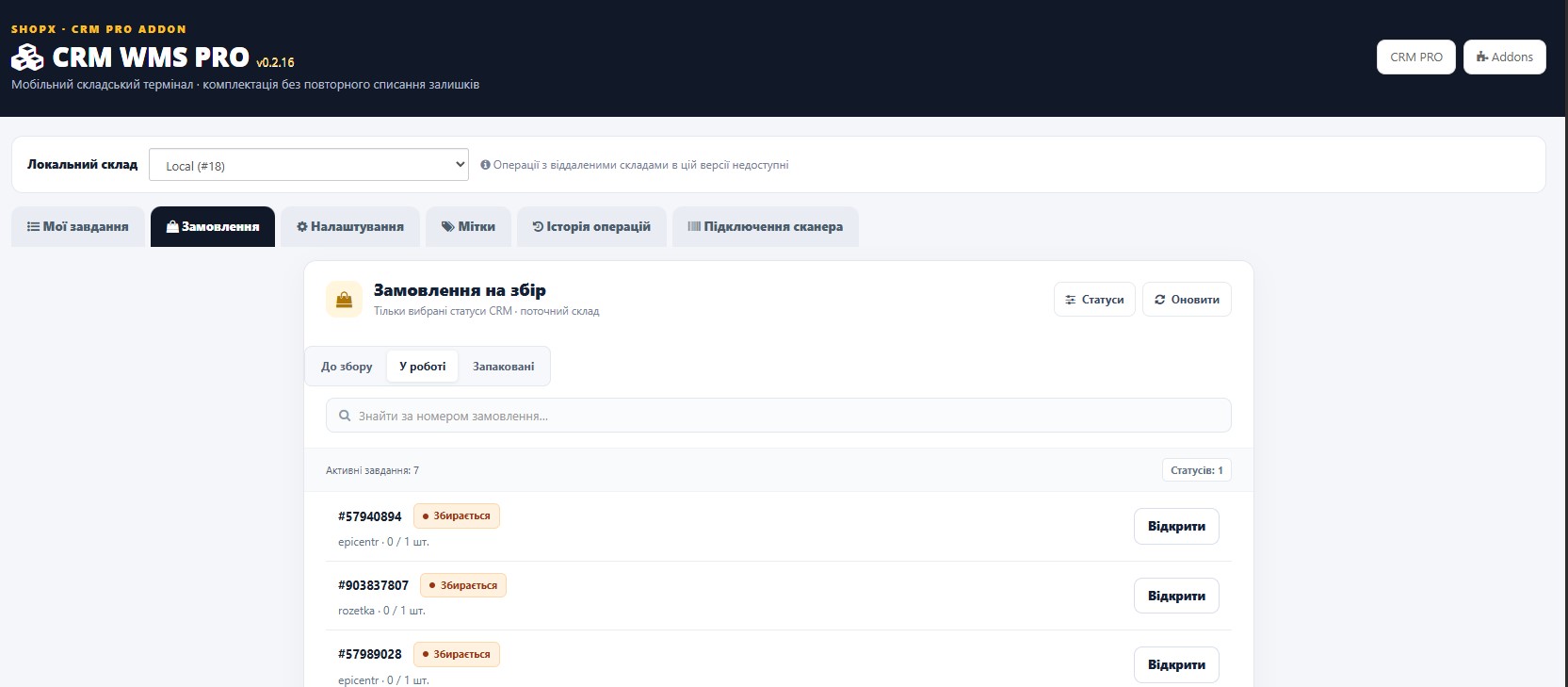
CRM WMS PRO web terminal — for warehouse managers: order queue, statuses, task creation, labels, settings, connected devices and operation history.
ShopX WMS Mobile — a separate Android application for daily warehouse work: camera-based scanning, product search, task acceptance, order picking, packing, QR-coded storage locations, stock counting and other warehouse operations according to the assigned role.
Key advantage: staff do not need to open the OpenCart admin panel in a smartphone browser — they work in a dedicated mobile interface.
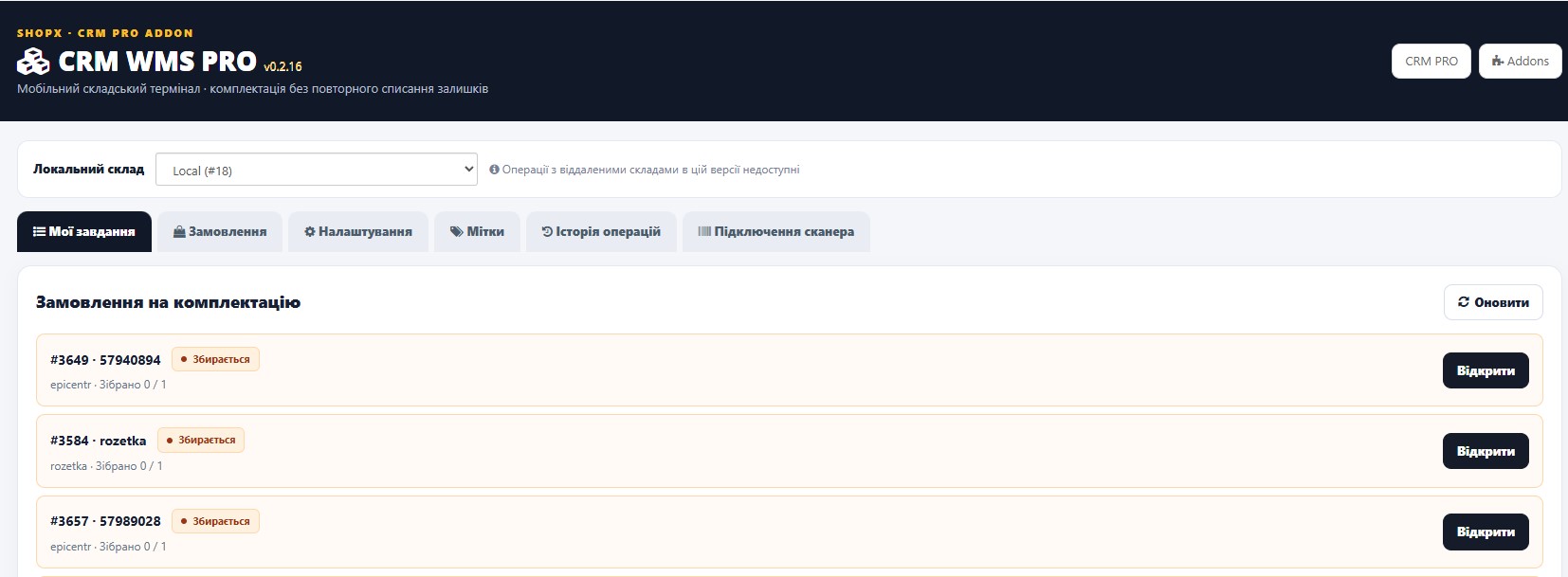
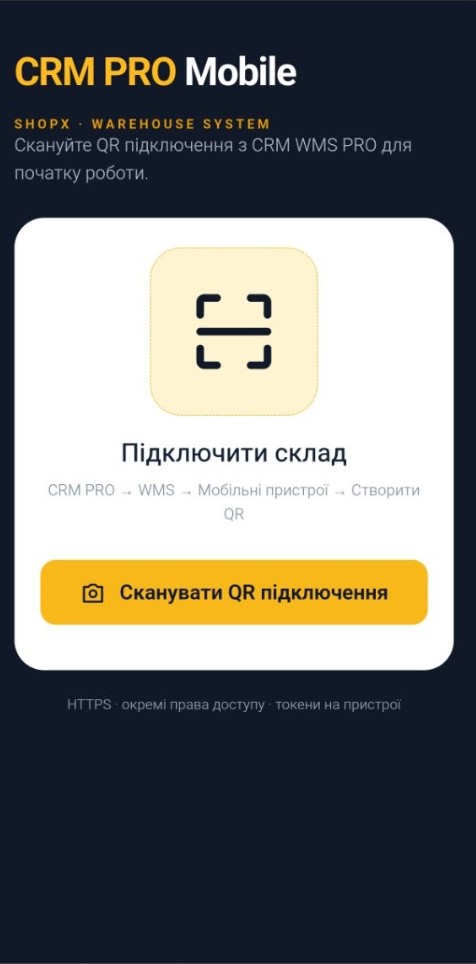
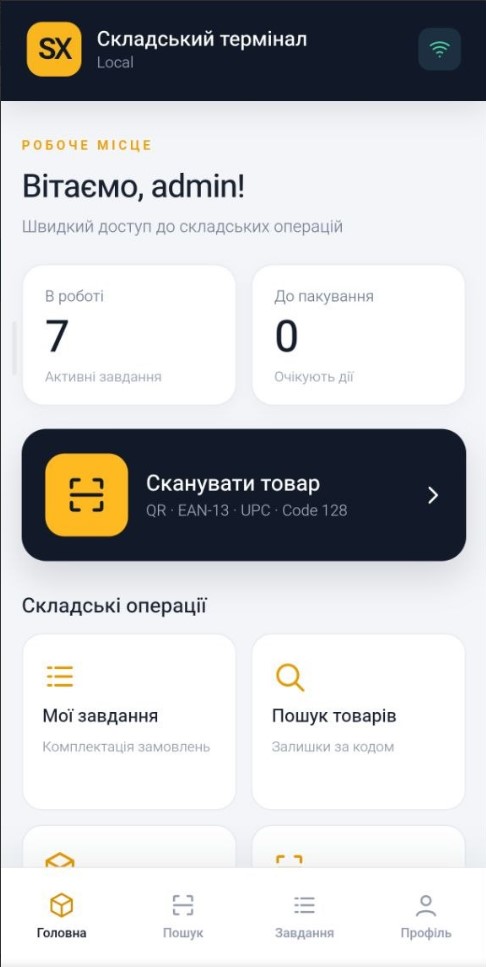
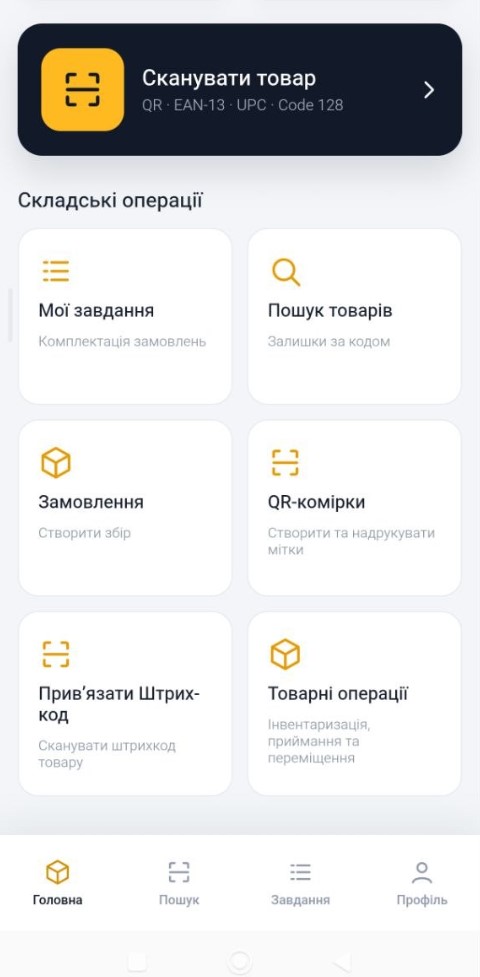

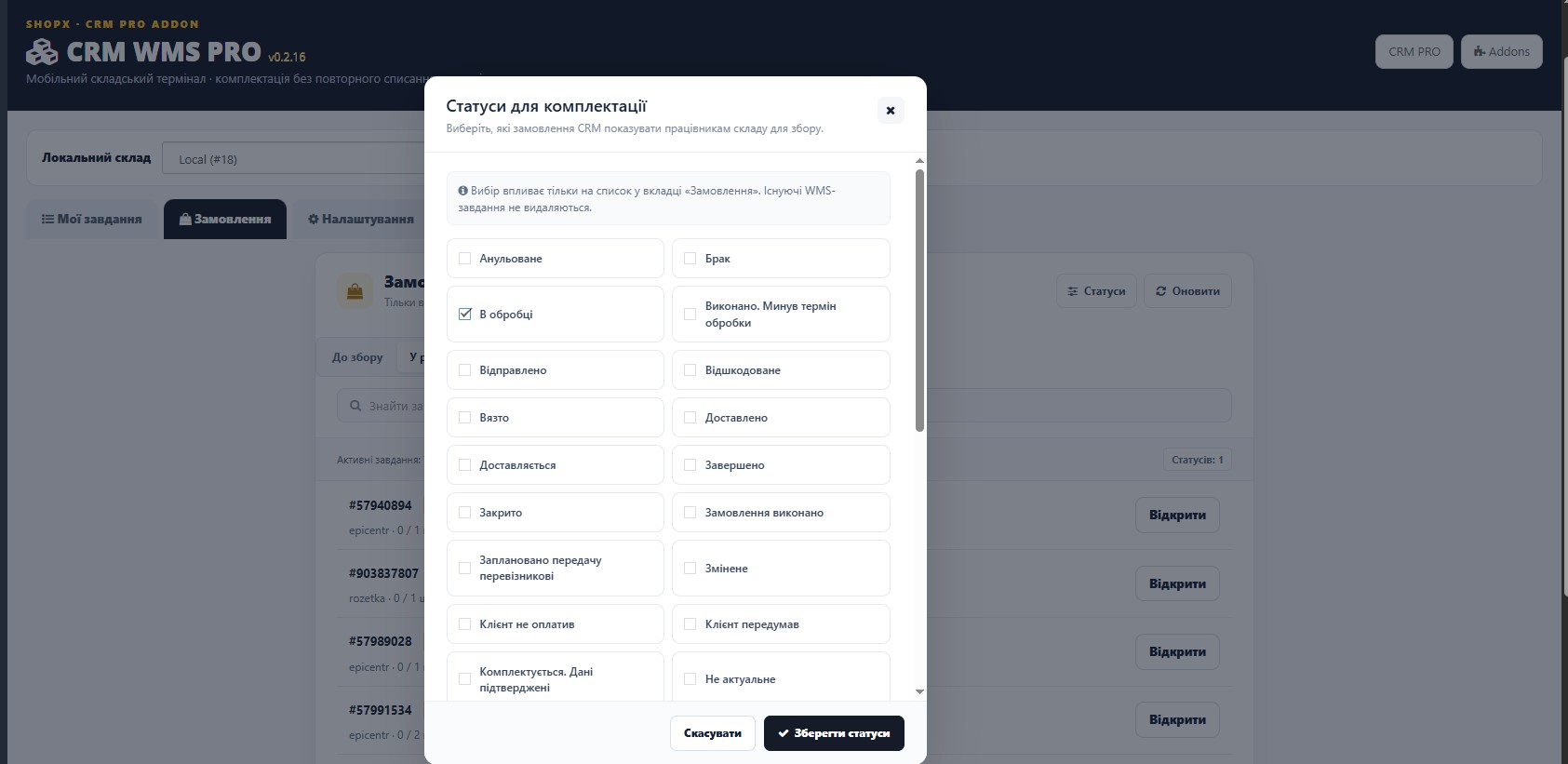
Orders Ready for Picking: Only What Matters
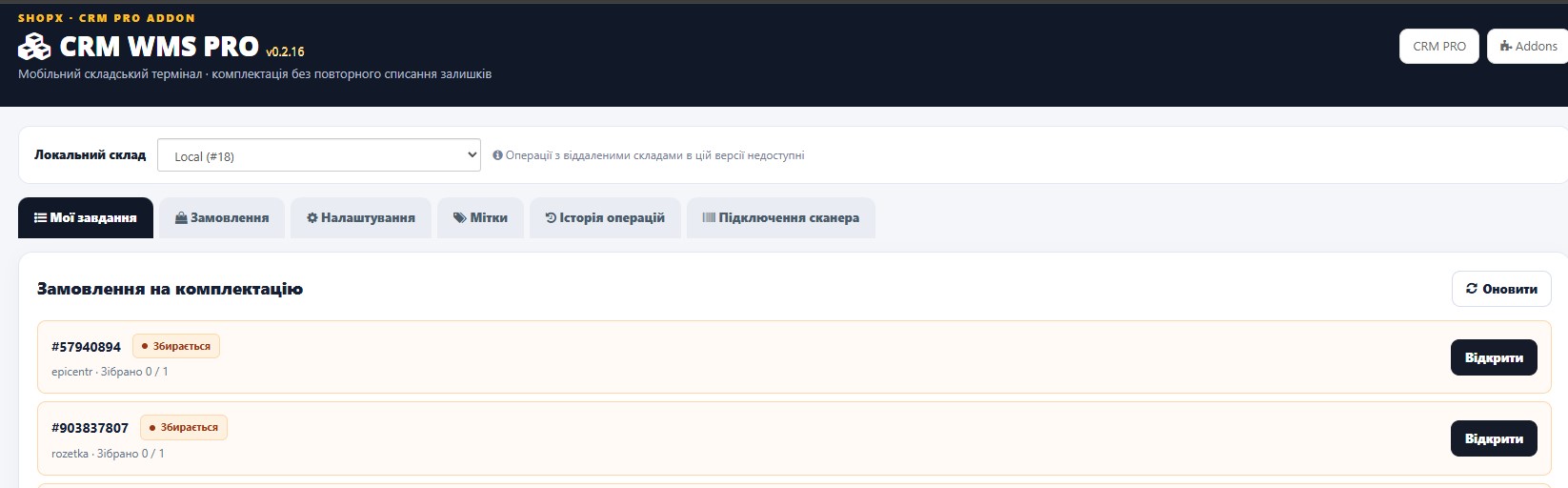
Managers choose which CRM order statuses are eligible for picking. The web terminal organizes the queue into “To Pick”, “In Progress” and “Packed” stages.
- By default, a compact selection of recent orders is displayed, with order number search and the option to load more.
- A separate dialog for selecting picking-eligible order statuses.
- One-click “Pick” action creates a warehouse task.
- Every task has a clear status and completion progress.
- Picked and packed tasks move to the appropriate stages instead of remaining in the active queue indefinitely.
Picking Verified at Every Scan
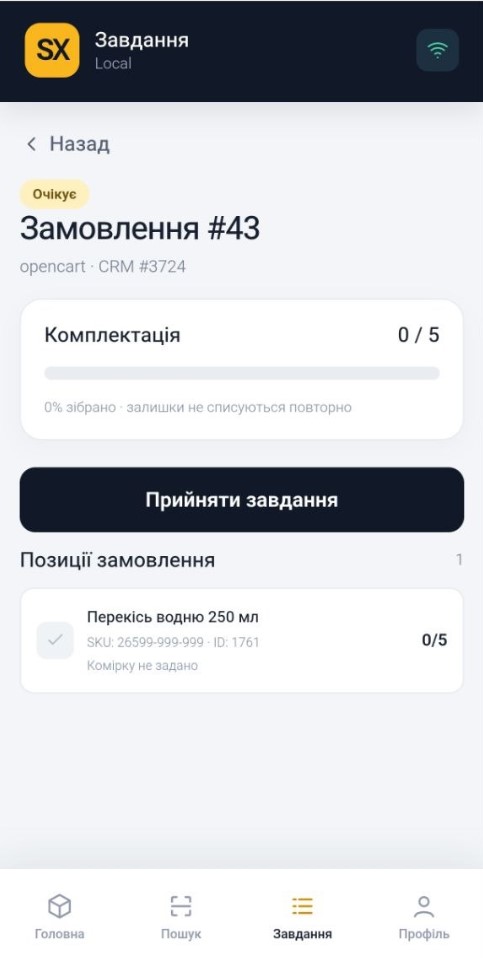
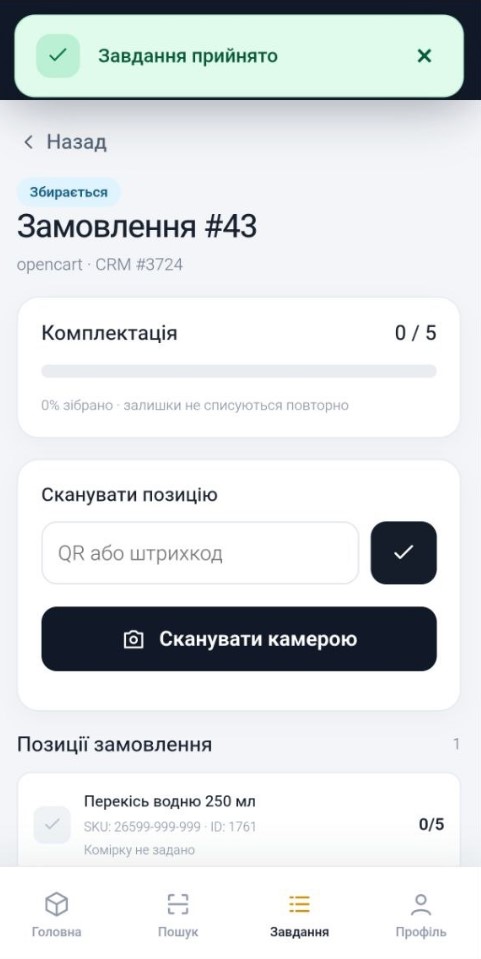
The employee opens an assigned task, accepts it and scans products. WMS checks each scan against the order lines, tracks the quantity actually picked and displays progress.
- Quantity tracking: picked / required for each line item.
- Correct accidental scans while maintaining operation control.
- A partially picked task cannot normally be marked complete.
- Protection against duplicate processing of the same network request.
- If the order contents change, further scanning is blocked pending verification.
If a SKU in a marketplace order does not match a local product, the manager can map the order line to an OpenCart product without changing the original order.

Complete Workflow: “Picked” → “Packed”
Once the required quantities have been scanned, the employee taps “Finish Picking” and, after physically packing the parcel, selects “Packed”. CRM and the mobile app record the actual stage of the work.
Automatic OpenCart status updates: the manager can select the status assigned to the linked local OpenCart order after packing is confirmed. A “Do Not Change OpenCart Status” option is also available. This mechanism does not change statuses on external marketplaces.
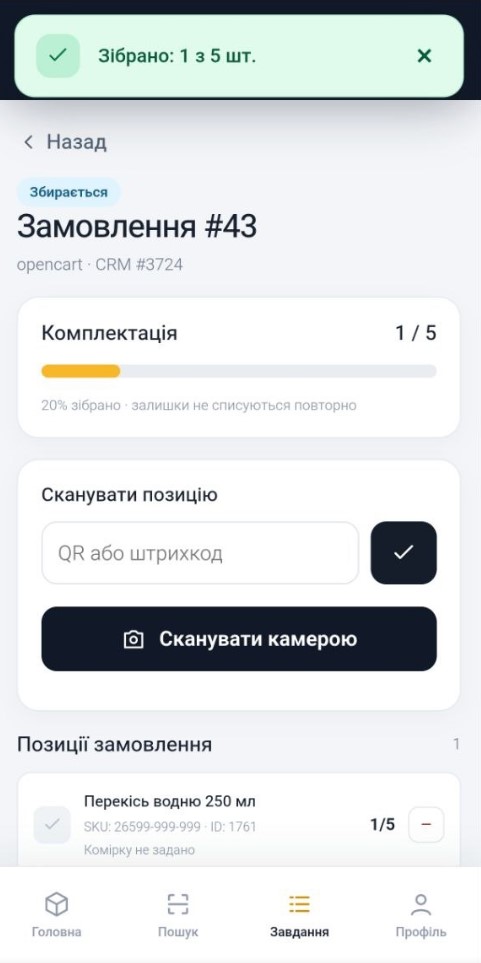
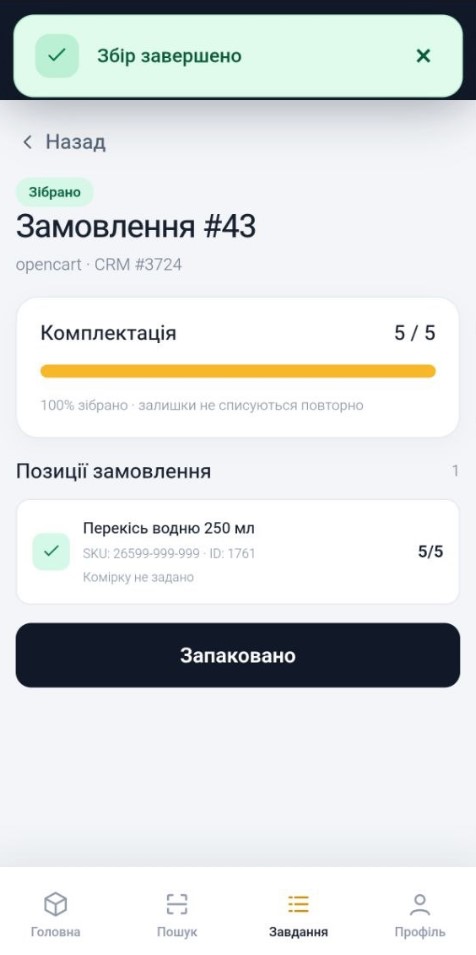
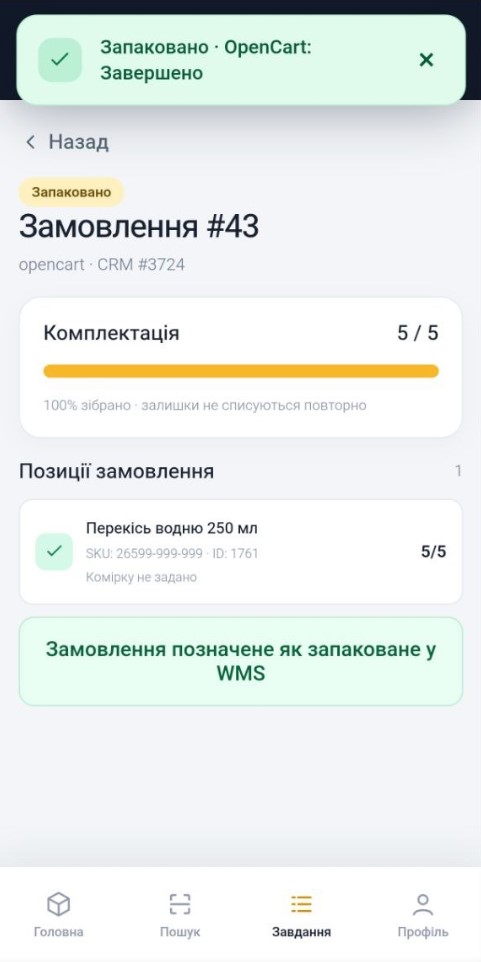
Android WMS Mobile — A Warehouse Scanner in Your Pocket
The mobile app is built for everyday warehouse work: large buttons, straightforward workflows, product lookup, quick access to tasks and the ability to use the phone camera as a scanner.
- Product search: search by code or in the product catalog; view product details and available stock at the assigned local warehouse.
- Scanning: WMS QR codes and common product codes supported by the configured barcode index.
- Barcode assignment: add an EAN code to a product directly from the mobile interface.
- My Tasks: accept, pick, adjust scanned quantities, finish and pack orders.
- Feedback: configurable sound and vibration while working.
- Easy-to-use menu: home, search, tasks, profile and additional warehouse functions.
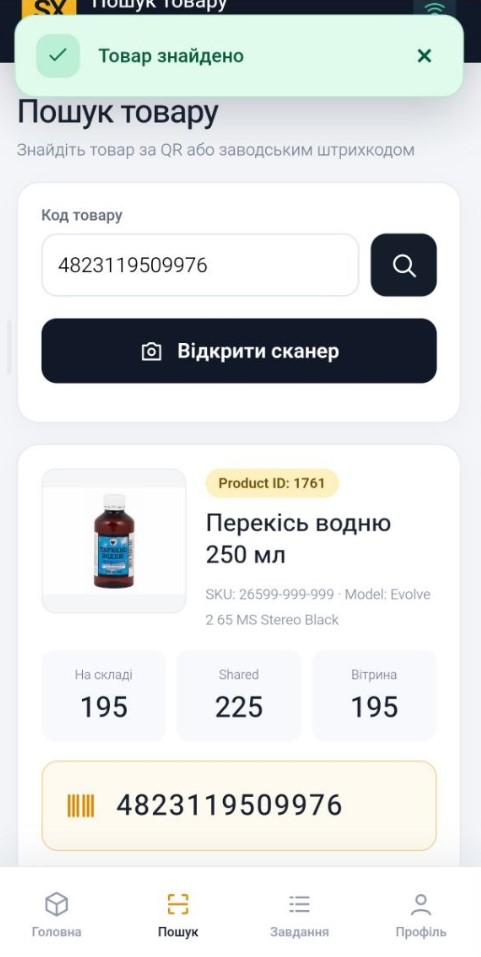
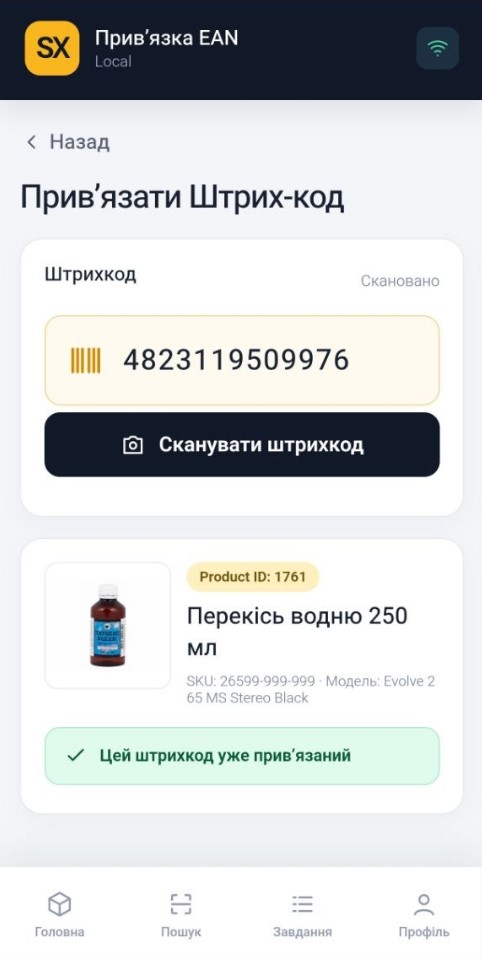

Product QR Codes, 110×110 mm Labels & Barcodes
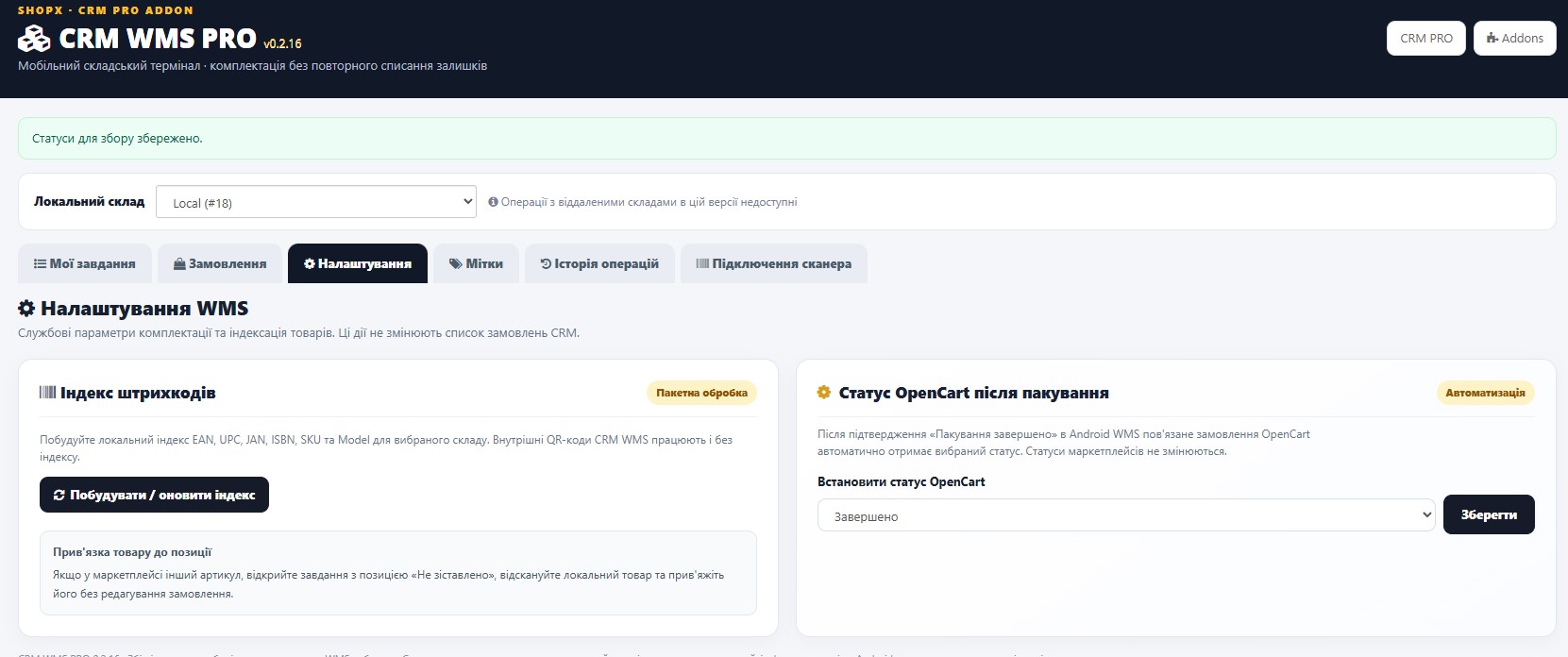
WMS supports its own product QR codes, printing on 110×110 mm labels and indexing product identifiers. For convenience, the QR code can also be accessed directly from the OpenCart product page in the admin area.
- Internal WMS QR codes for accurate product identification.
- Search using common codes: EAN, UPC, JAN, ISBN, SKU, Model after building the barcode index.
- Batch updates of the barcode index without processing every product manually.
- Print QR labels in a format suitable for label printers.
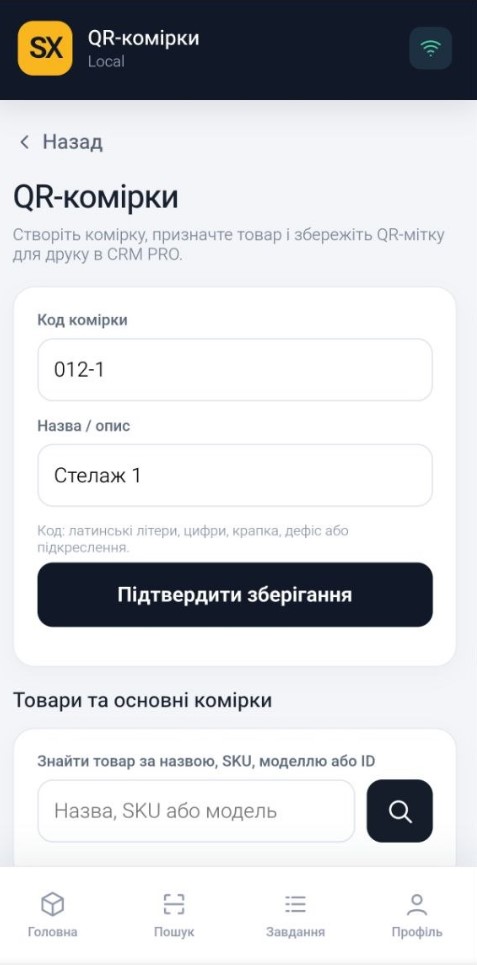
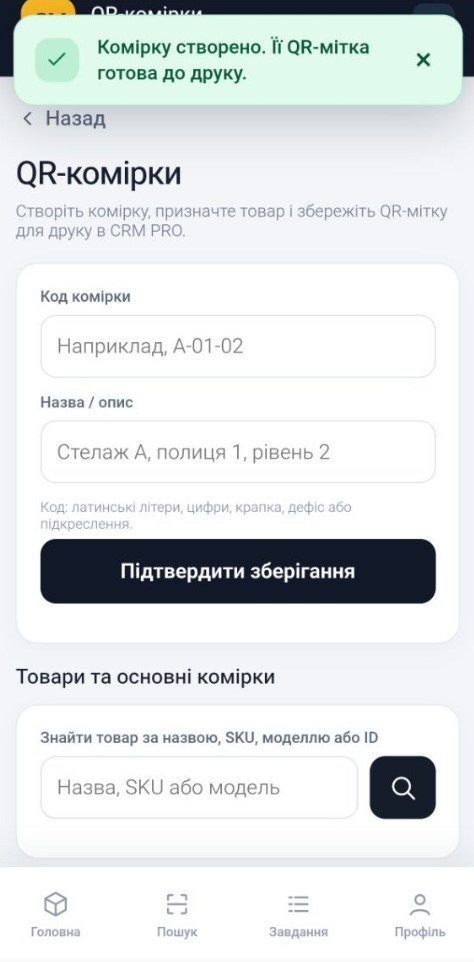
QR-Coded Storage Locations: Always Know Where Products Are
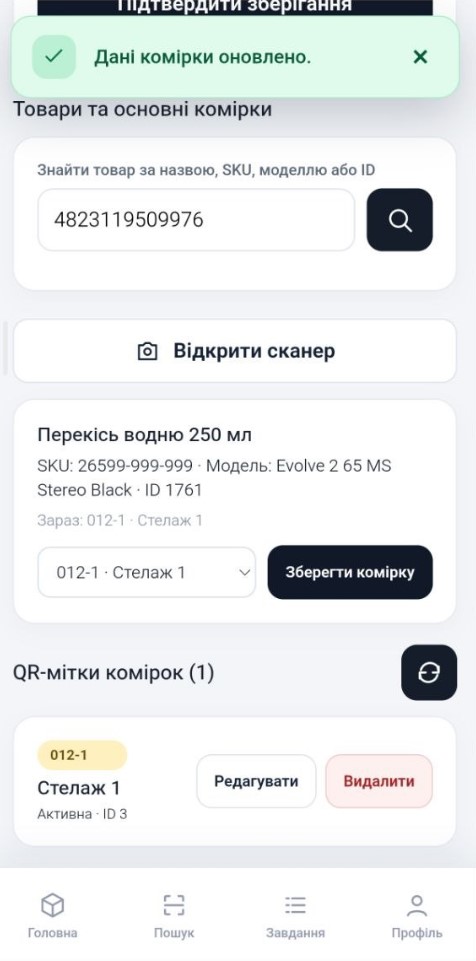
Create storage bins or shelving positions with their own codes and names, save QR labels for storage locations and assign products to specific locations. Staff can find the right items faster.
- Create, edit and manage storage locations.
- Assign products to a storage location and view its contents.
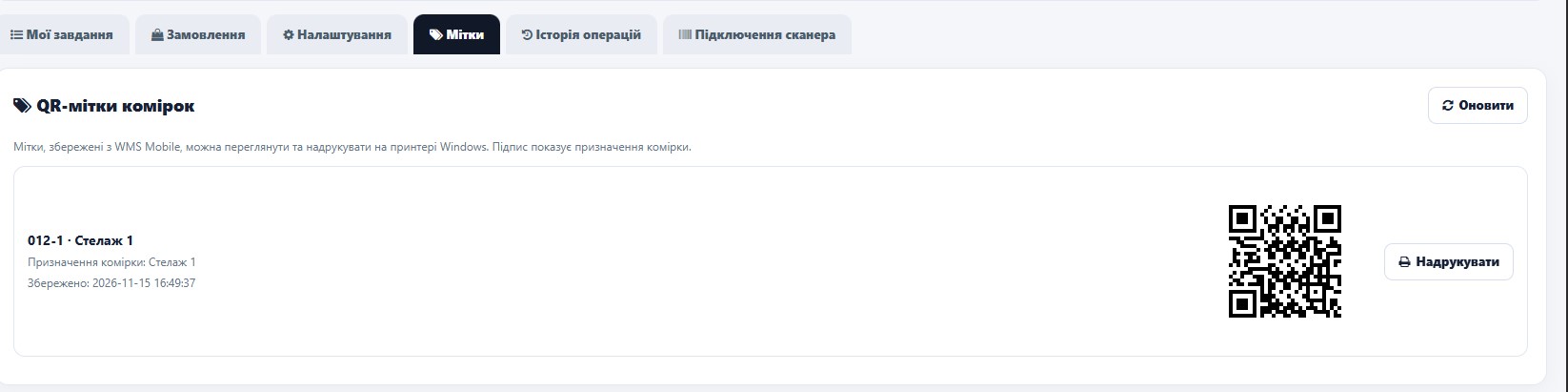
- QR codes for scanning storage locations on the warehouse floor.
- Save labels from Android for later printing through the Windows web terminal.
- Storage location management according to manager permissions.

Stocktaking Directly on Android
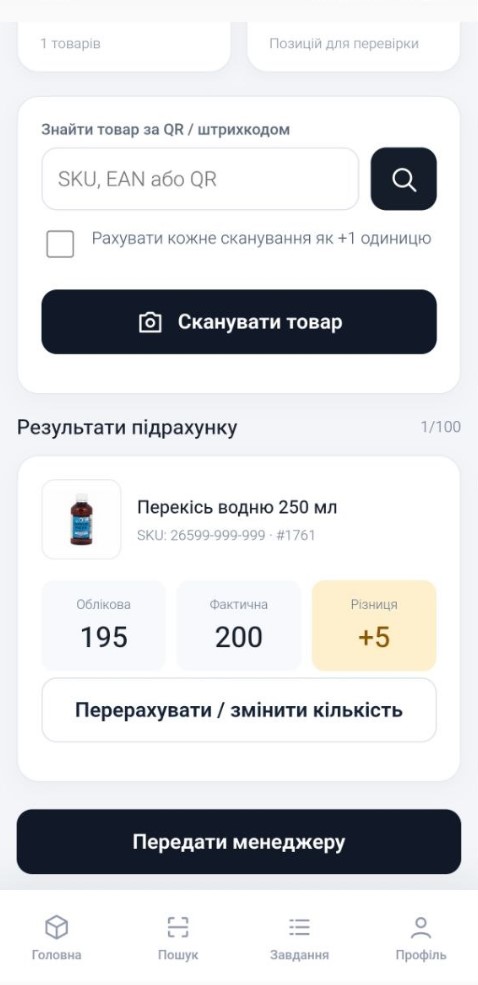
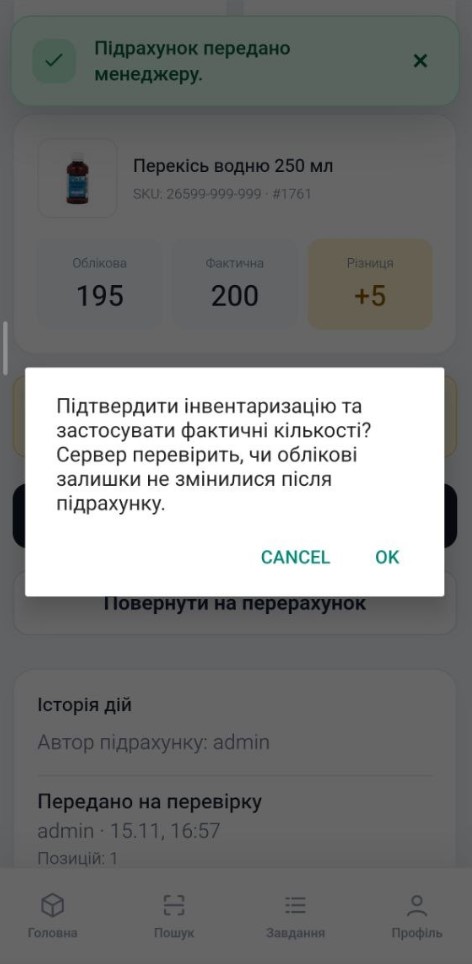
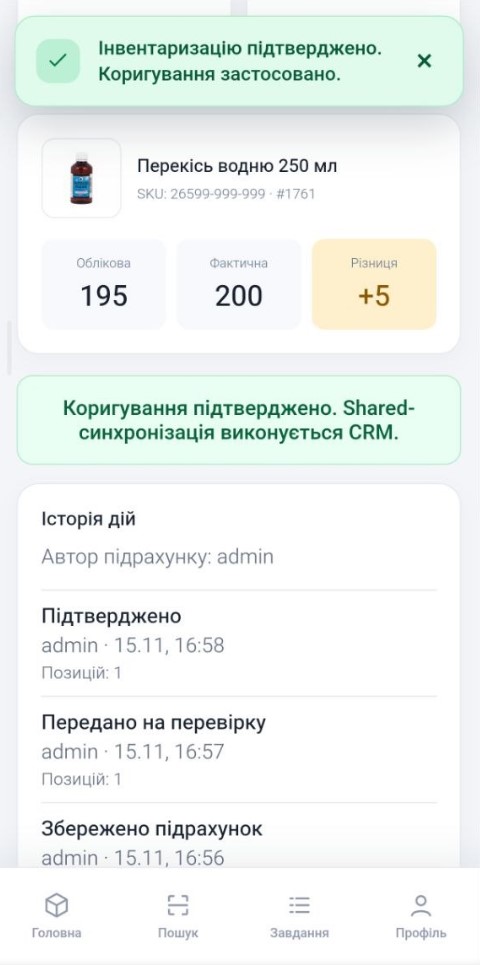
Stocktaking in ShopX WMS Mobile goes beyond entering a number. An employee creates a count document, scans products, enters or counts the actual quantities and submits the results to a manager.
- Draft: create a stock count document for a warehouse area.
- Counting: add products using the scanner or a code; use “each scan = +1” mode.
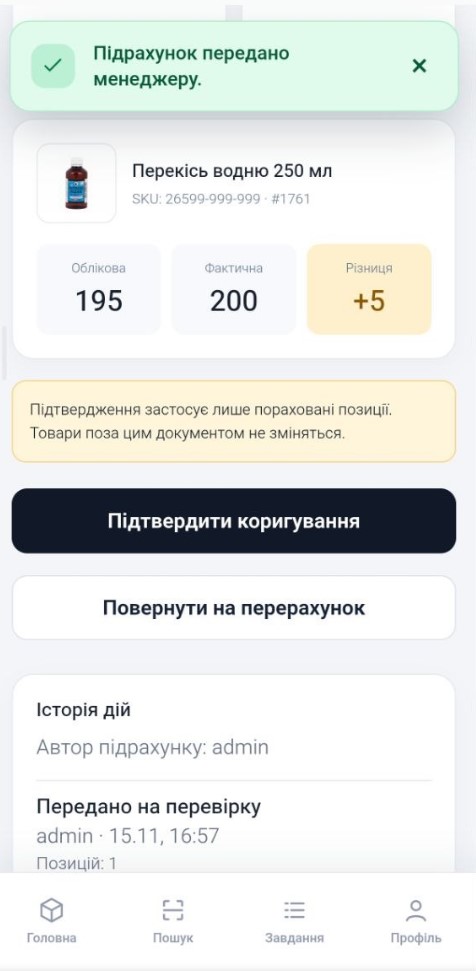
- Submit for review: send the completed count to a manager.
- Manager approval: approve the adjustment or return it for a recount.
- History: documents, statuses and responsible users.
- Data safety: inventory figures do not change during scanning; adjustments are applied only after manager approval.
Important: in this version, stocktaking is performed in the Android app. The web terminal provides history and oversight, but there is no separate browser-based stocktaking editor.

Receiving and Moving Goods
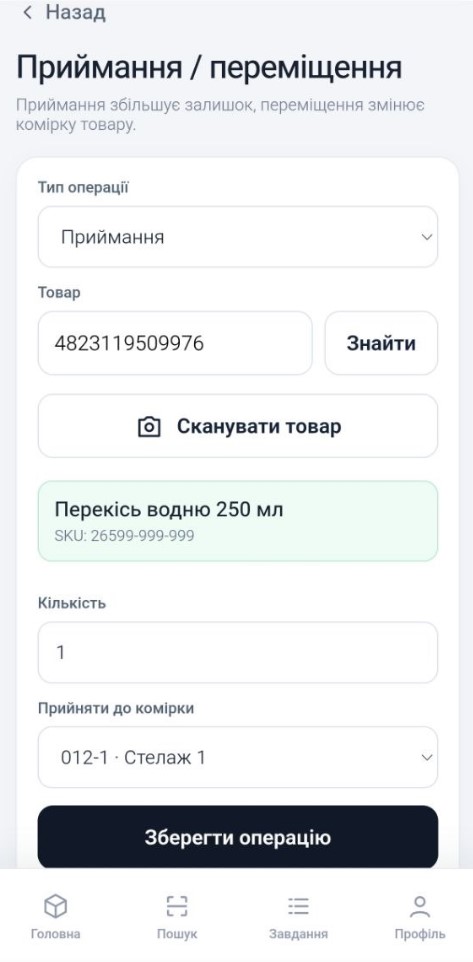
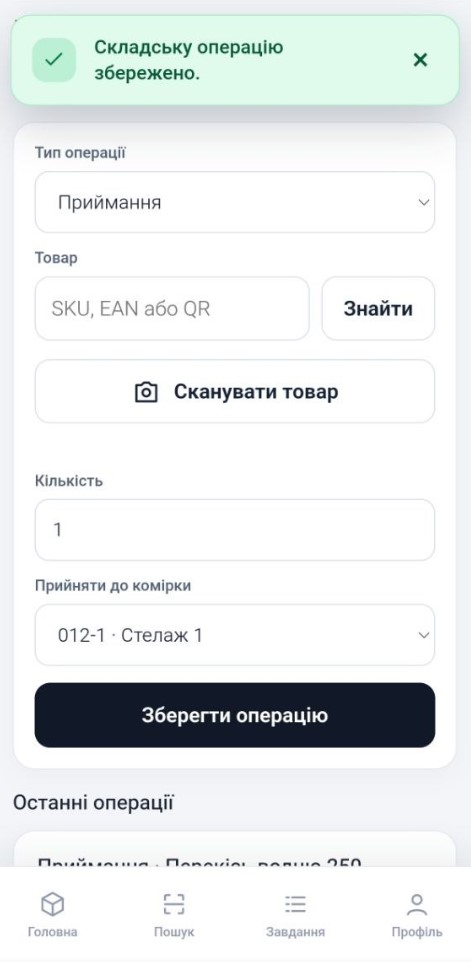
Managers can perform additional inventory operations: receiving goods and transferring them between storage locations in the same local warehouse.
- Receiving: adds goods to physical stock and records the warehouse operation.
- Transfers: change the assigned storage location without increasing or decreasing the total quantity.
- Operation log: history, operation type, product, employee and date.
- Available operations are restricted by the selected local warehouse and user role.
Web Terminal — Operation History
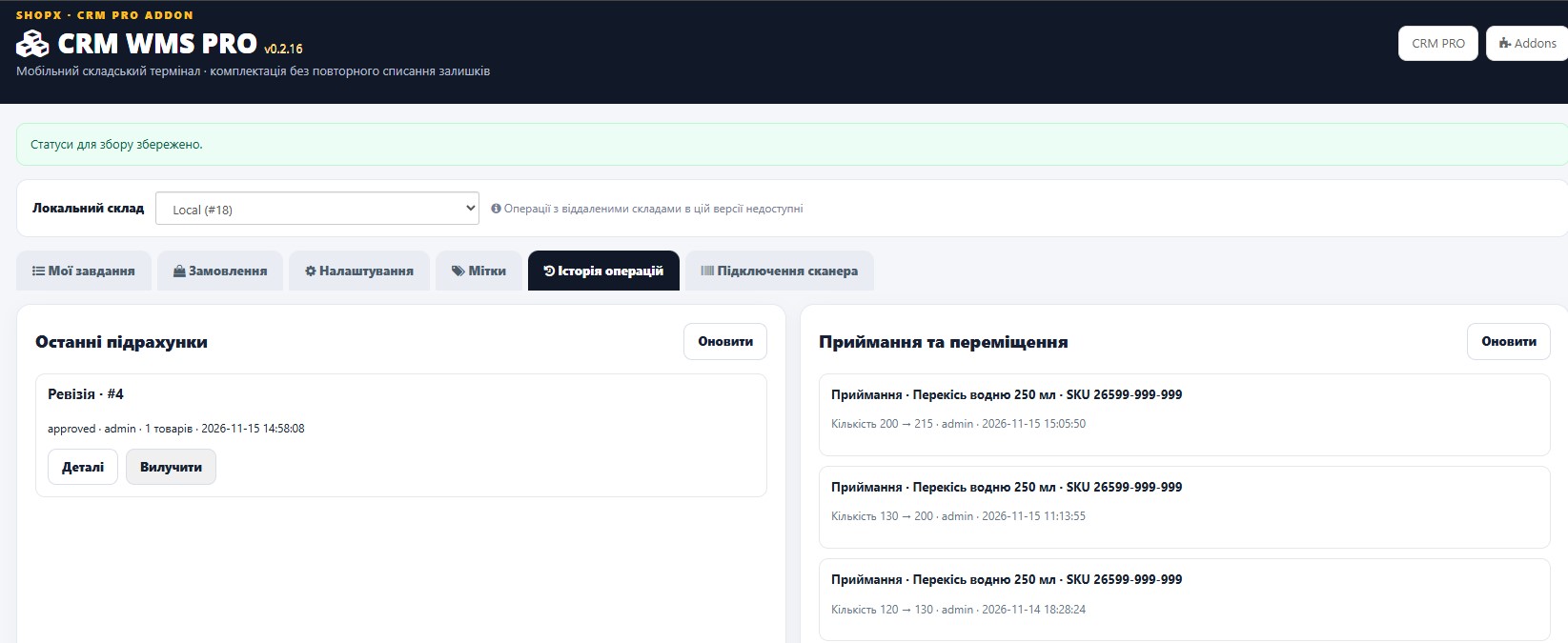

CRM STOCK HUB Integration Without Double Deduction
WMS integrates with the warehouse logic of CRM PRO / CRM STOCK HUB and uses the physical stock of the selected local source. Different operations are handled differently, so picking an order is not confused with adjusting physical stock.
- Picking / packing: record order fulfillment in WMS without deducting stock a second time.
- Approved stocktaking: adjusts physical stock, logs the change and queues synchronization through the existing CRM process.
- Receiving: increases physical stock according to the configured source rules.
- Transfers between storage locations: do not change the total stock quantity.
- Shared Qty: is not overwritten directly by scanning; subsequent updates are handled by standard CRM synchronization.
This is especially important for stores already managing stock in CRM across multiple sales channels: WMS helps control physical warehouse operations without replacing the existing synchronization logic.
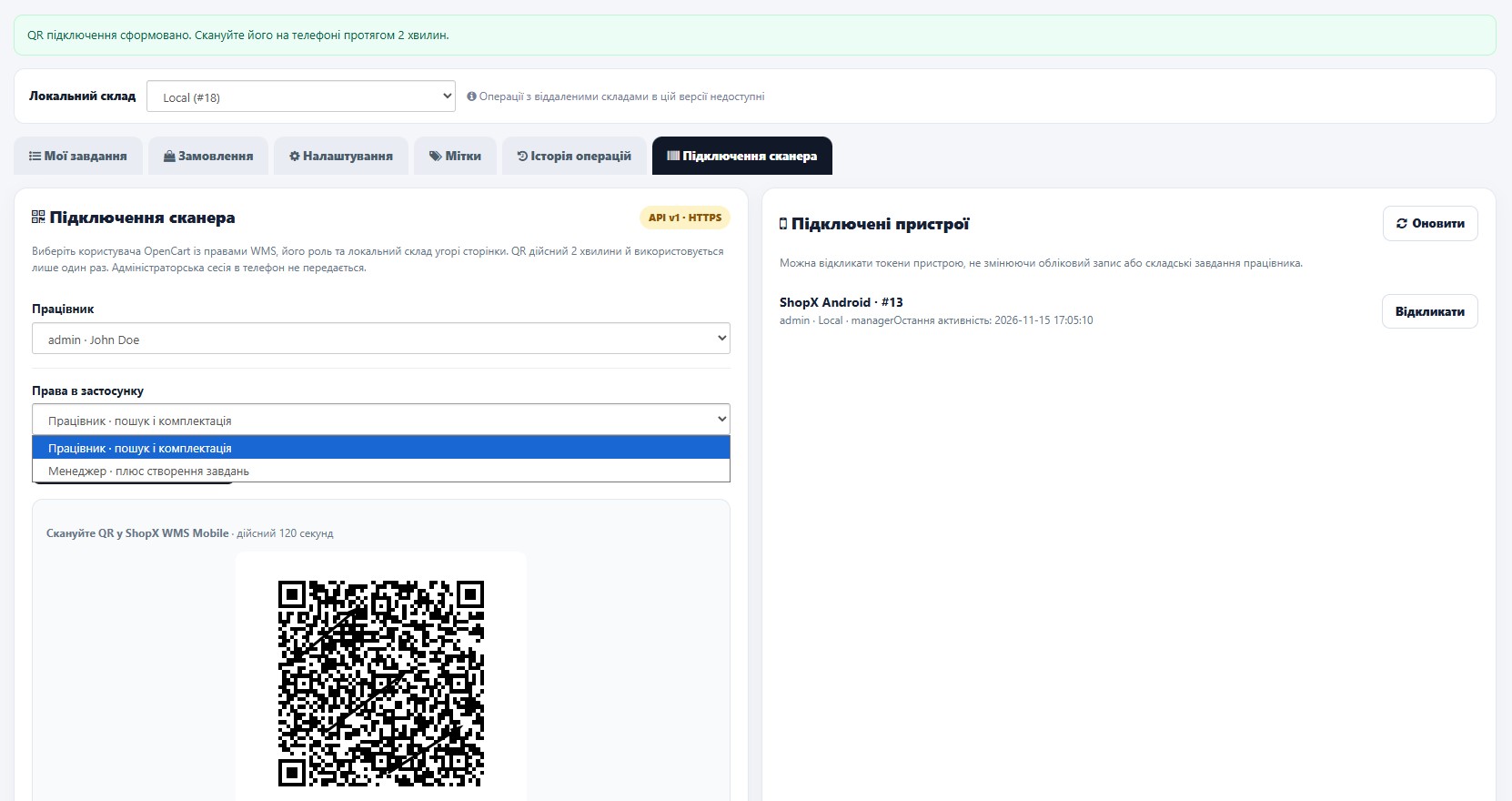
Secure Android Connection via QR Code
Connecting a device does not require entering the admin password or transferring an OpenCart admin session to the phone. The manager selects an employee, role and local warehouse, then generates a single-use QR code valid for 120 seconds. After scanning, the app communicates through a secure Mobile API.
- Mandatory HTTPS connection.
- Separate worker / manager roles.
- Mobile devices are assigned to a single authorized local warehouse.
- Short-lived session tokens with automatic renewal; no sharing of the admin user_token.
- Manage connected phones and revoke access immediately from CRM.
- Employees can access only permitted operations; administrative actions are protected by role checks.

How It Works in Practice
1. The manager sees an order in CRM and selects “Pick”.
2. The employee opens the task in WMS Mobile.
3. If needed, they locate the product via QR/barcode or storage location.
4. They scan the items; WMS verifies quantities and tracks progress.
5. They select “Finish Picking”.
6. After packing, they mark the order “Packed”.
7. CRM records the result and, if configured, updates the local OpenCart order status.
The result: managers can monitor fulfillment while staff spend less time searching and resolving questions manually.
Who Benefits Most from CRM WMS PRO?
- Stores with their own warehouse: when many different items need to be picked every day.
- Teams with several employees: to separate management from execution and monitor progress.
- Stores handling marketplace orders in CRM PRO: to fulfill orders from one workspace.
- Warehouses with shelving and storage locations: to speed up product searches using QR codes and assigned locations.
- Businesses using CRM STOCK HUB: to coordinate physical warehouse operations with stock synchronization.
10 Reasons to Choose CRM WMS PRO
- 1. Less time spent searching for products manually.
- 2. Lower risk of picking the wrong item.
- 3. Clear oversight of every order.
- 4. An Android warehouse terminal without a separate dedicated scanner — when using a compatible smartphone.
- 5. QR and common barcode scanning.
- 6. QR-coded locations, labels and location tracking.
- 7. Stocktaking with manager approval.
- 8. Receiving, transfers and operation history.
- 9. Role-based access, QR device pairing and access revocation.
- 10. Integration with the CRM PRO ecosystem and its stock management logic.
Compatibility and Requirements
- Platform: OpenCart 3 / ocStore 3. The package is stated to have been tested with ocStore 3.0.4.1 and PHP 7.4/8.1.
- Required: installed ShopX CRM PRO version 2.30.0 or later and a compatible CRM STOCK HUB warehouse schema.
- Warehouse: operations on the selected local source; remote warehouse operations are not supported in this version.
- Database: InnoDB warehouse tables.
- Android: ShopX WMS Mobile connects over the HTTPS Mobile API; the Android APK is distributed separately from the OCMOD archive.
- Installation: install the OCMOD, enable the addon in CRM PRO, configure permissions and pair devices via QR code.
Please note: WMS PRO is an addon for CRM PRO, not a standalone CRM or a replacement for OpenCart’s standard inventory system. We recommend testing on a staging store before deployment.
ShopX CRM WMS PRO — Take Control of Your Warehouse
Orders should never get lost between the manager and the warehouse. When every item is scanned, every stage is visible and final packing is recorded, the entire team works with greater clarity.
Turn your OpenCart + ShopX CRM PRO into a practical solution for picking, scanning, packing and warehouse management with a dedicated Android app.
Interested in the module? Contact ShopX for advice on compatibility, installation and how to obtain CRM WMS PRO and ShopX WMS Mobile.
- Guides and instructions on our website: shopx.com.ua
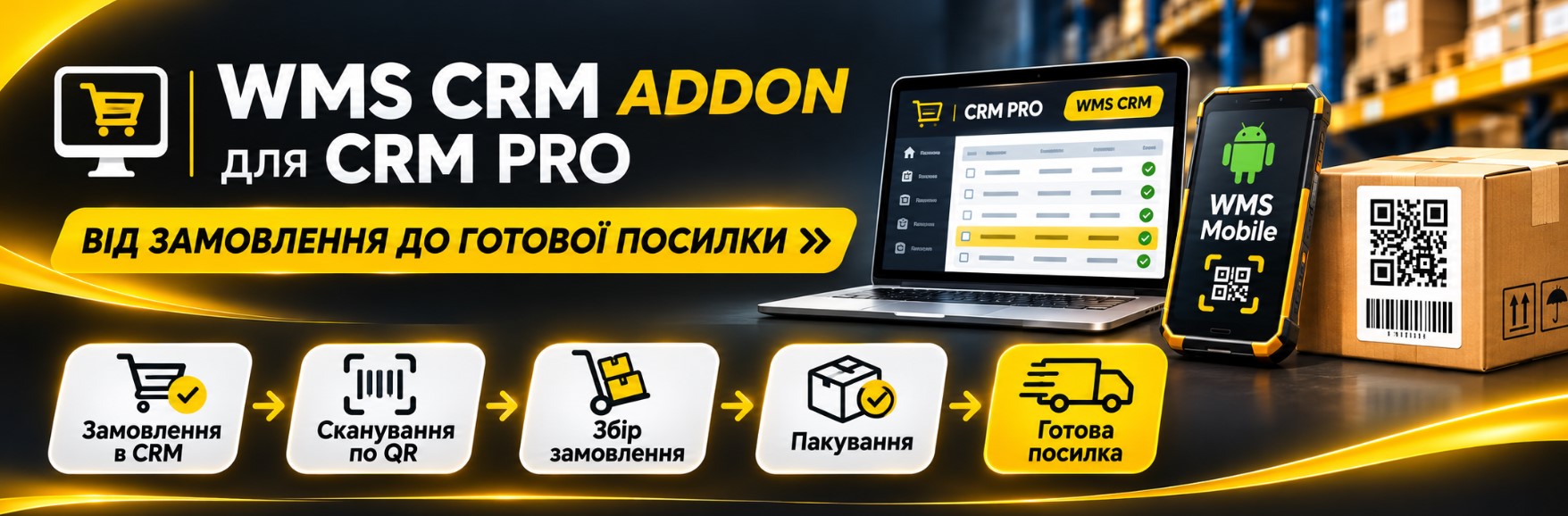
ShopX · CRM PRO Addon · WMS PRO v0.2.16 · Mobile API 1.1
Фото, відео та матеріали продукту. Натисніть на зображення, щоб переглянути детальніше.
WMS_2
WMS_3
WMS_4_1
WMS_4_2
WMS_4_6
WMS_4_9
WMS_4_10
WMS_4_11
WMS_4_12
WMS_4_12_1
WMS_4_12_2
WMS_4_12_3
WMS_4_12_4
WMS_4_12_5
WMS_4_12_8
WMS_4_12_9
WMS_4_12_11
WMS_4_12_12
WMS_4_12_13
WMS_4_12_14
WMS_4_12_15
WMS_4_12_16
WMS_4_12_18
WMS_4_12_19
WMS_4_12_20
WMS_4_12_21
WMS_4_12_22
WMS_4_12_23
WMS_4_12_24
WMS_4_12_25
WMS_4_12_27
WMS_4_12_29
compatibilityfor CRM PRO
TypeADDON
ApplicationAndroid
Format.ocmod
How is the application installed?
Installed as an .ocmod extension for OpenCart
Can it work independently?
No - this is not a standalone module, but an application for CRM PRO. It only works with this system.
What is included in the package?
The package includes the .omod module and an Android-based application in .apk format.